How to scan your documents and post: 3 methods, from your phone to the Swiss Post scanning service
In short. Three ways to digitise your post, depending on volume:
- your phone, for the few letters of the week: a scanning app produces a clean PDF in ten seconds;
- a scanner with a document feeder, to catch up on years of papers;
- the Swiss Post scanning service, which opens and scans your post for you, for CHF 9.90 a month.
In every case: one PDF per document, with text recognition, in the same place as the bills you receive by e-mail. Keep on paper only what depends on a signature or a seal.
Half of your bills already arrive as PDFs. The other half pile up on the kitchen table: the commune, the dentist, the insurer, the post that exists only on paper. As long as there is paper, there are two systems, and you always look in the wrong one.
What to scan, and what to keep on paper
Almost everything can be scanned. For a household, a scanned bill, statement, breakdown or letter keeps its value as proof in practice: in Switzerland the judge assesses evidence freely, and an electronic file is evidence. The detail is in our guide Digital archiving: what is a scan worth in law in Switzerland?
Keep the paper original of documents whose value lies in a handwritten signature or a seal:
- will, notarised deeds, inheritance contracts;
- important contracts signed by hand (property purchase, loan, current lease);
- diplomas, employment references, civil-status records;
- securities and negotiable instruments.
Scan them anyway: the copy is for everyday use, the original sleeps in a folder.
Method 1: your phone, for the week’s post
You do not need a paid app. On an iPhone, the Notes and Files apps offer “Scan Documents”; on Android, the Google Drive app has a “Scan” function. They detect the edges, straighten the page and save a PDF.
For a readable result first time:
- Lay the sheet flat on a dark, plain surface: the contrast helps the app find the edges.
- Daylight or side light, no flash: flash creates a glare in the middle of the page.
- All the pages of one document in a single PDF, and one PDF per document.
- Name the file straight away:
2026-11-12 Commune - Waste tax.pdf. The full method is in our guide How to organise your administrative documents.
Method 2: a scanner, to catch up
The box of statements in the cellar, the “to sort” folder that no longer closes: for hundreds of pages, a phone becomes tedious. A scanner with an automatic document feeder, which swallows a stack of sheets and scans both sides, does the job in an evening.
- Settings: PDF, 300 dpi, greyscale, text recognition (OCR) switched on.
- One document at a time: separate the stacks by document, or use a blank page as a separator if your software supports it.
- Sending by e-mail: many multifunction printers can send the scan straight by e-mail. It is the simplest way to get everything to the same place as your electronic bills.
No scanner? Some copy shops make one available.
Method 3: the Swiss Post scanning service
Swiss Post offers a service in the Post app that digitises your post for you. Once the service is activated, your letters are sent to a scanning centre, opened, scanned and delivered to the app.
What to know before activating it:
- The price: CHF 9.90 a month at the time of writing, with a discount for an annual subscription.
- The originals: you can order the original of a letter for 25 days (one original free per month, then a fee per original). After that, the letter is disposed of as waste paper. For a signed contract or a deed, order the original in time.
- What is not scanned: non-standard formats and items containing objects, as well as, for example, bank cards, identity documents, voting material or newspapers. They keep arriving in your letterbox.
- Registered letters are in principle opened and scanned too: by activating the service, you give a power of attorney to receive them.
Check the current terms on Swiss Post’s website before subscribing.
After the scan: one place, and a backup
A scan sitting in the “Downloads” folder is not an archive. Three rules:
- A single entry point for everything that arrives, scanned or received by e-mail.
- Filing that reads clearly: category, issuer, year.
- Three copies, one of them away from home (the 3-2-1 rule). A hard disk that fails takes years of papers with it.
And the paper? For ordinary documents, once the scan is checked, it can go to the shredder. To know how long to keep each document, paper or digital, see How long to keep your bills and documents in Switzerland
Scanned post, filed automatically
Scanning is half the work. The other half is naming, filing and finding each document. With Charti, your scans join everything else:
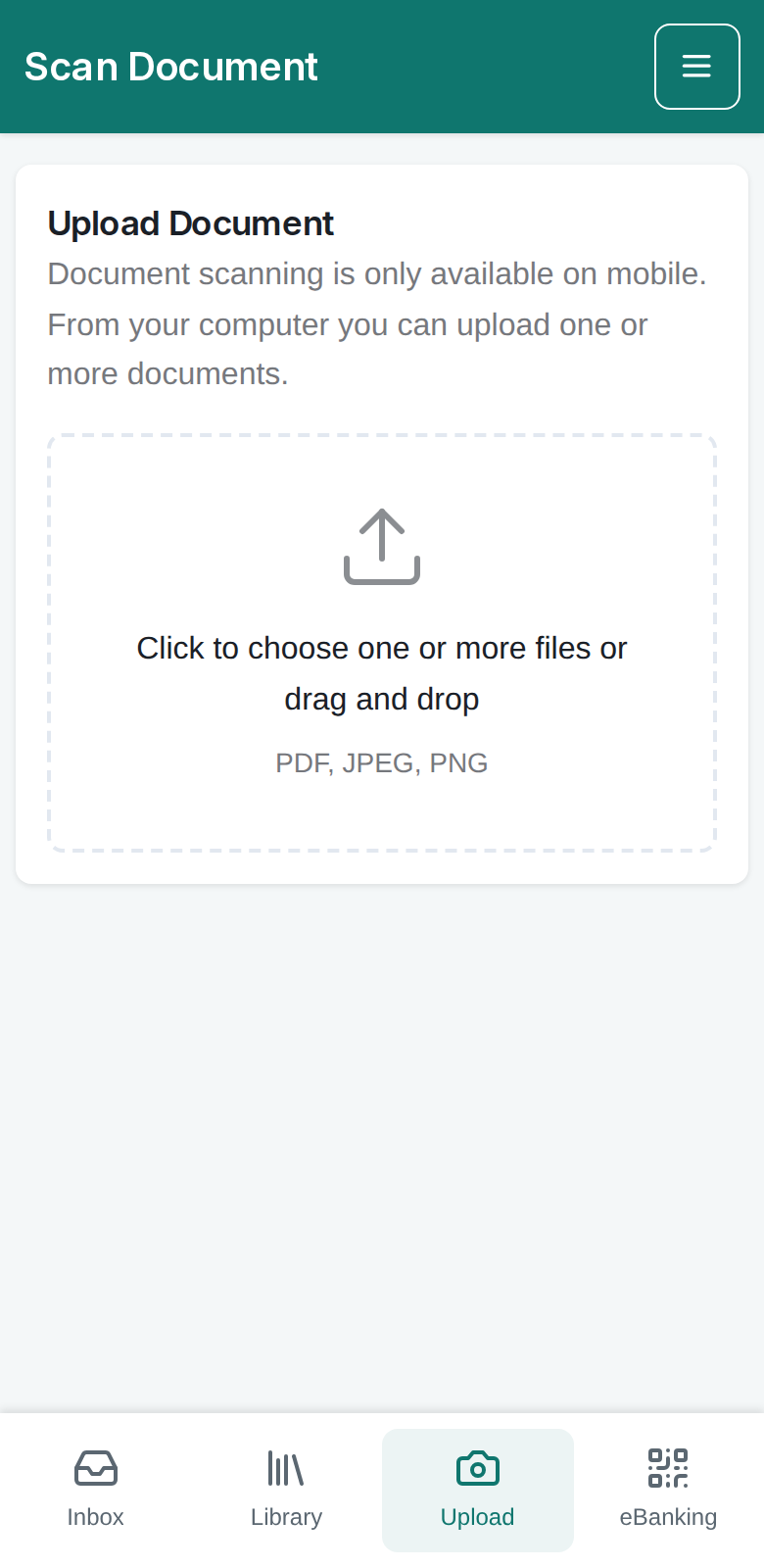
- Upload your scans to Charti (PDF, JPEG or PNG, one or several at a time), or send them by e-mail to your personal @charti.ch address, from your printer or your phone. Taking a photo directly from the mobile app: coming soon.
- The text is recognised, even on a crooked scan, and recognition errors are corrected: search covers the content of each document.
- Each document is read and filed: type, issuer, recipient, with a short summary. A scanned QR bill is tagged “To Pay”.
- A copy arrives on your computer, organised the way you choose: by issuer then by year, by year first, or in your own folder structure.
Frequently asked questions
What resolution should I scan documents at?
300 dpi is enough for readable documents, good text recognition and light files. Go up to 600 dpi only for a photo or small print that you want to enlarge.
PDF or JPEG for scanning paperwork?
PDF, preferably with text recognition (OCR): one file per document, even over several pages, and you can search its content. JPEG suits photos, not multi-page documents.
Can I throw away the originals once scanned?
For a household, yes for most documents: bills, statements, breakdowns. Keep the original of anything whose value lies in a signature or a seal: will, notarised deeds, important contracts, diplomas, civil-status records.
How does the Swiss Post scanning service work?
Once you have activated the service in the Post app, your letters are sent to a scanning centre, opened, scanned and delivered to the app. You can order the original for 25 days; after that the letter is disposed of as waste paper. The service costs CHF 9.90 a month at the time of writing.
Which free app can I use to scan documents with my phone?
The one already on your phone: on an iPhone, the Notes and Files apps can scan a document; on Android, so can the Google Drive app. They straighten the page, trim the edges and produce a PDF.
This guide is for information only and is not legal or tax advice. If in doubt, ask your cantonal tax office or your fiduciary.