bexio and receiving invoices: accounting software or intake tool?
In short. bexio is business management software for SMEs: invoicing, accounting, payroll, VAT. It also handles supplier invoices in its Purchases module: a QR bill scanned with the bexio Go app becomes a supplier invoice, payable from your e-banking. Charti is not accounting software: it receives, reads, files and archives all your documents, private and business. If your accounts are in bexio, keep your supplier invoices there; Charti then serves for everything else. If a fiduciary (an accountant) keeps your accounts, Charti may be enough.
“bexio receiving invoices”: behind this search there is often a mix-up. Swiss accounting software such as bexio, KLARA or Banana is first of all made to issue invoices and keep the accounts. Receiving, sorting and archiving every document that arrives is another job, and it is not limited to accounting.
Issuing and booking, or receiving and archiving
| Accounting software (bexio…) | Intake tool (Charti) | |
|---|---|---|
| Starting point | Accounting entries | The documents that arrive |
| Invoices issued | Yes, with QR bill | No |
| Supplier invoices | Entered in the Purchases module | Received, read, tagged “To Pay” |
| Other documents (contracts, policies, letters, private documents) | Outside its scope | Filed in the same place |
| Accounts, balance sheet, VAT, payroll | Yes | No |
| Who it is for | A business that keeps its accounts | A household, a self-employed person, a small team |
What bexio does for your supplier invoices
bexio’s Purchases module (or expense management) covers supplier invoices, credit notes and expenses:
- Scanning QR bills with the bexio Go mobile app: each scanned QR bill creates a supplier invoice, with the payment details already filled in.
- Receipts without a QR code (till receipts, vouchers): read by AI in the mobile app, from certain packages, with a number of automatic readings per month depending on the package.
- Payment: payments are sent straight to your e-banking.
- Booking: the AI suggests entries, and invoices are assigned to accounts and VAT rates.
- Archive: a document archive presented as Olico-compliant (Accounting Records Ordinance) is offered in certain packages.
The features and how they are split between packages change regularly: check bexio’s website for what your package includes.
Our view: if you keep your accounts in bexio, that is where your supplier invoices should end up. Entering them in a second tool would make no sense.
What accounting software leaves aside
Accounting software cares about what becomes an entry. Everything else is outside its scope:
- Non-accounting documents: contracts, insurance policies, terms and conditions, letters from the authorities, warranties.
- Private documents: health insurer, tax, rent, family documents. For a self-employed person, they often arrive in the same mailbox as business invoices.
- Collection: invoices arrive by e-mail, by post, in customer portals. Before being scanned into bexio, each invoice still has to be found.
Three situations, three answers
You keep your accounts in bexio. Keep your supplier invoices in bexio. Charti can serve for your private documents and for business documents that are not entries, but it is not connected to bexio.
Your fiduciary keeps your accounts. This is the case for many self-employed people: below CHF 500,000 turnover, a sole proprietorship can keep a simple record of income, expenses and assets (art. 957 para. 2 CO). You then do not need accounting software, but complete, well-organised records to hand over each year. That is exactly the role of an intake tool.
You mix private and business documents. A single tool to receive everything, which tells apart what is addressed to you and what is addressed to your company, saves you searching in two systems.
What Charti does for a self-employed person
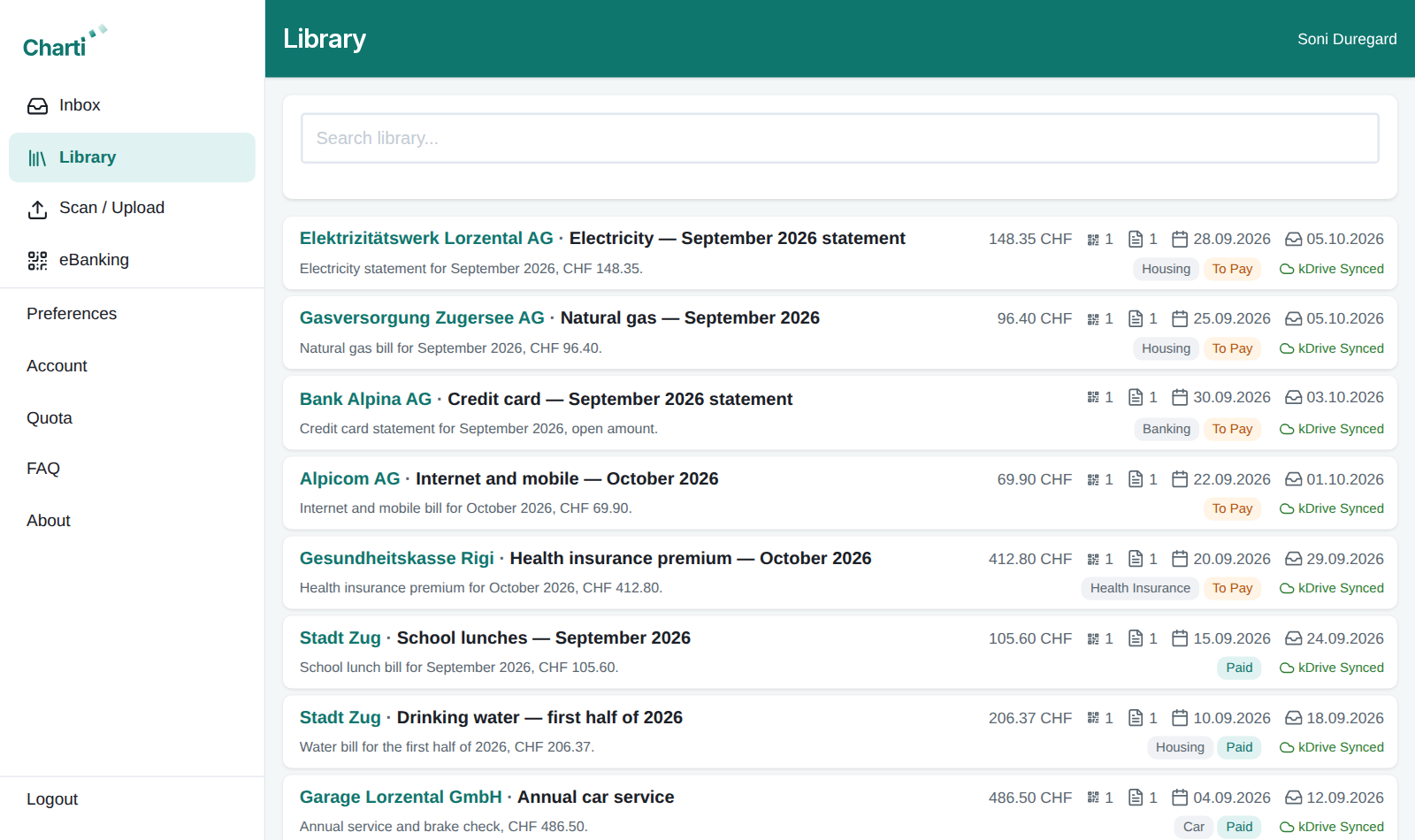
- An intake address @charti.ch, to give your suppliers as the billing address, or to forward your e-mails to (see collection).
- The recipient is recognised: you see at a glance what is addressed to your company and what is addressed to you personally.
- Supplier QR bills are tagged “To Pay” and gathered so they can be paid one after the other; reminders are flagged.
- A copy of every record arrives in your cloud. Choose filing by year: each year forms a folder, to share with your fiduciary.
For the full method, see Supplier invoices: the simple method for the self-employed.
Frequently asked questions
Can bexio scan supplier invoices?
Yes. With the bexio Go app, a scanned QR bill automatically creates a supplier invoice in the Purchases module, and the payment can be sent to e-banking. Depending on the package, receipts without a QR code can also be read by AI, with a monthly number of readings.
Does Charti replace accounting software like bexio?
No. Charti does not keep accounts: no general ledger, no balance sheet, no VAT return. Charti receives, reads, files and archives your documents, private and business, and gathers the QR bills to pay.
Is Charti connected to bexio?
No, there is no direct integration. If you keep your accounts in bexio, its Purchases module remains the place to enter your supplier invoices.
Does a self-employed person need accounting software?
Not necessarily. Below CHF 500,000 turnover, a sole proprietorship can keep a simple record of income, expenses and assets (art. 957 para. 2 Code of Obligations, CO), and many leave the year-end closing to a fiduciary (an accountant). What matters then is handing over complete, well-organised records.
This guide is for information only and is not legal or tax advice. If in doubt, ask your cantonal tax office or your fiduciary.